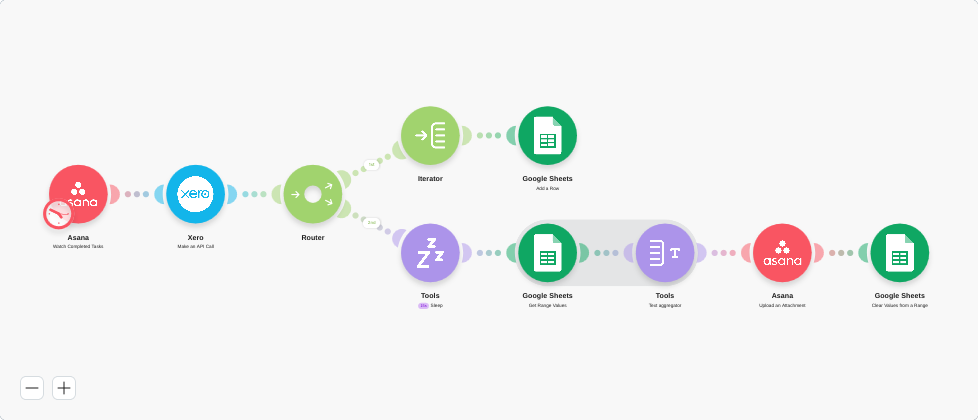
Workflow summary
Export account transaction data from Xero, process it as a CSV, and upload or organize related tasks in Asana.
Trigger
Scheduled run (e.g. weekly) or new Xero transaction batch.
Workflow steps
- 01Pull transaction data from Xero for the selected period.
- 02Transform the data into a clean CSV with the needed columns.
- 03Create or update related tasks in Asana for review/reconciliation.
- 04Attach the CSV to the Asana task for context.
Outcome
Finance and ops stay in sync without manual CSV exports and uploads.
Time saved
~1–2 hours per reporting cycle.
Best for
Bookkeepers and ops managers using Xero + Asana.
Tools used
MakeXeroAsana


